


See who played your beat, and for how long.
A beat sent as a file tells you nothing. Sent as a vvault link or email, it tells you who pressed play, how long they listened and whether they downloaded it. Then you know who to follow up with.
A notification for every play, and the full stats with listening time, downloads and where plays come from: every plan.

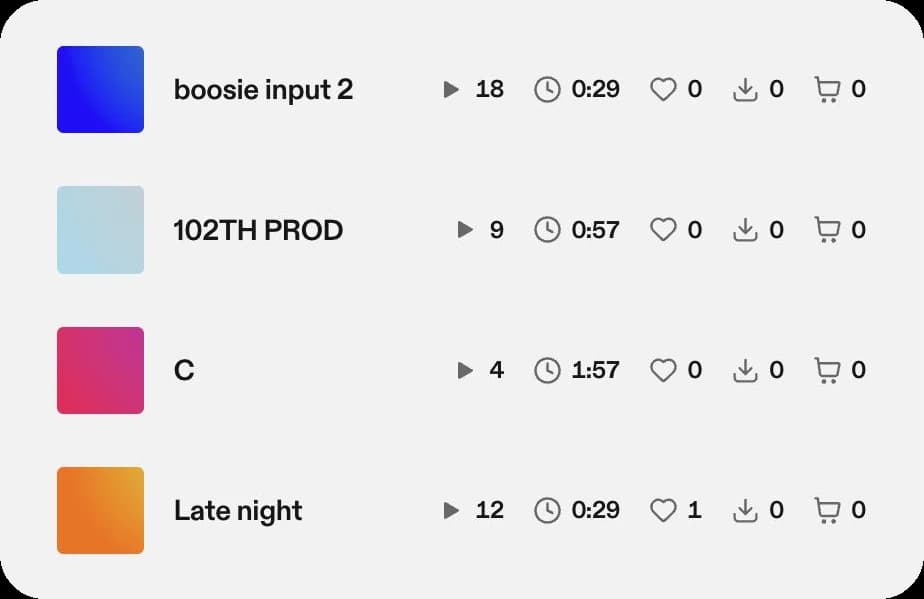
Every beat shows what happened to it
Each beat has its line: how many plays, how long people listened, saves, downloads and sales. A beat that gets played to the end is telling you something a beat skipped after five seconds isn't.
- Plays and listening time, beat by beat
- Downloads and saves
- Sales on the same line
Know who to follow up with
A play count is nice. A name and a listening time tell you who to write to next.
A name, when it counts
vvault names the listener when they're signed in to vvault or got the beat by email from you. Anyone else shows up as a listener who isn't signed in.
How long, not just a play
See how long each person listened, beat by beat. Someone who played your beat three times to the end is worth a message.
Your phone tells you
Plays, downloads, saves and sales arrive as notifications on the iPhone app, while the interest is still fresh.
Where you lose them
See how many opened, played, downloaded and bought, and the day and hour your emails get opened.
Know which way of sending works for you
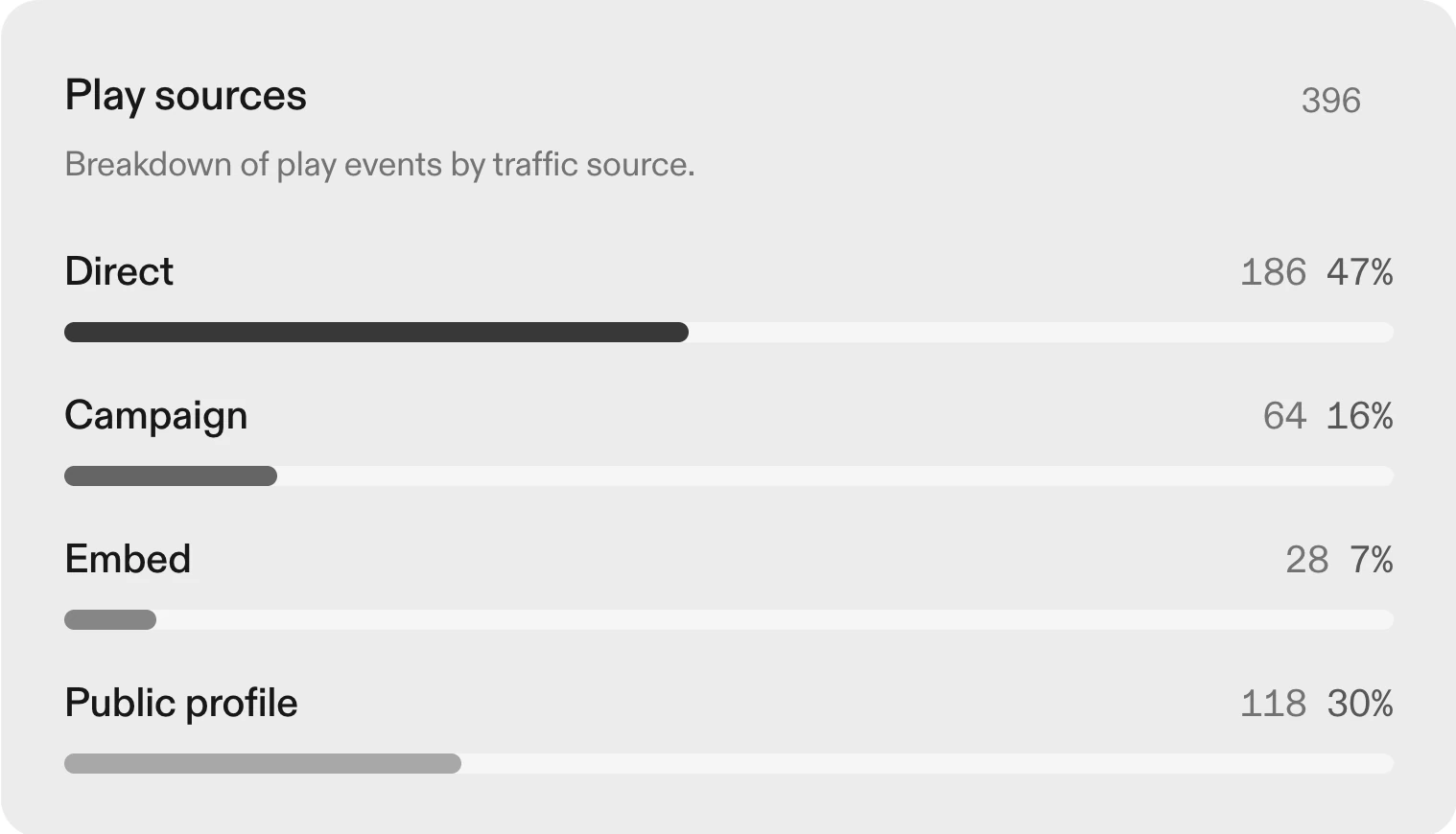
On Pro, vvault splits your plays by where they came from: a link you pasted somewhere, an email, your public page or a player on another site.
79% of the plays recorded on vvault come from a link or a page opened outside vvault's own emails, like a link pasted in a DM. So the link you paste matters as much as the beat.
How it works
Upload a beat
From your computer or your iPhone. It stays private until you share it.
Send the link
Paste it in a DM, an email or your bio, or email it from vvault to see every recipient by name.
Follow up
When they press play, you know. Write to the ones who listened while they still remember the beat.
Questions
Do artists need an account to listen?
No. Anyone with the link can press play in their browser. Only an invite-only link asks them to sign in.
What if the artist isn't signed in to vvault?
The play still counts, and you see it happen, as a listener who isn't signed in. To see every recipient by name, send the beat by email from vvault.
Which plan do I need?
Either one. Pro and Ultra both send a notification for every play and give you the stats page, with how long each person listened, downloads, saves, where plays come from and the best time to send. See pricing.
Can I see it on my phone?
Yes. The iPhone app shows the same activity and sends a notification when someone plays, downloads or buys.
Never wonder who listened again.
Pro or Ultra, monthly or yearly. Cancel anytime.
Photo: Harvey Tan Villarino on Pexels